How to Stop Spam Emails for Good
By Alex K · Last updated May 2026
A complete, practical guide to eliminating spam from your inbox — covering every method from blocking and filtering to disposable addresses and aliasing. Works with Gmail, Outlook, Apple Mail, and all other providers.
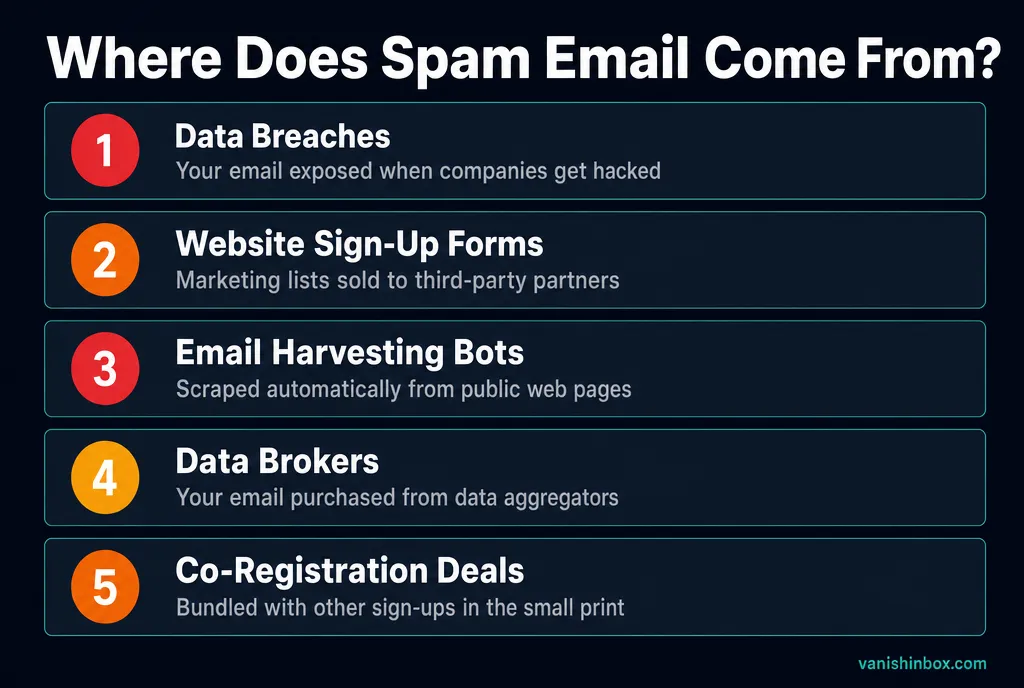
Why Spam Keeps Coming Back
Most people delete spam as it arrives and wait for it to stop. It never does — because deleting does nothing to address the root cause. Your email address is already circulating on marketing lists, data broker databases, and spam networks. The senders don't know or care that you deleted their message.
Spam persists because your email address has been permanently associated with you across potentially hundreds of databases. Every website that ever had your email may have sold it, leaked it in a breach, or shared it with "partners" buried in their privacy policy. Here's exactly what happens after a website sells your email address. Free newsletters carry the same risk even when you subscribe deliberately — your address becomes a business asset that can transfer through acquisitions and co-registration deals. See the hidden cost of free newsletters and how companies track you through your email for the full picture.
Stopping spam takes a layered approach: remove yourself from lists you're already on, train your filters to catch what gets through, protect your address from being harvested again, and stop giving your real address to untrusted sources going forward.
9 Ways to Stop Spam Emails — Ranked by Effectiveness
Start with method 1 for instant results, then work through the rest for lasting protection
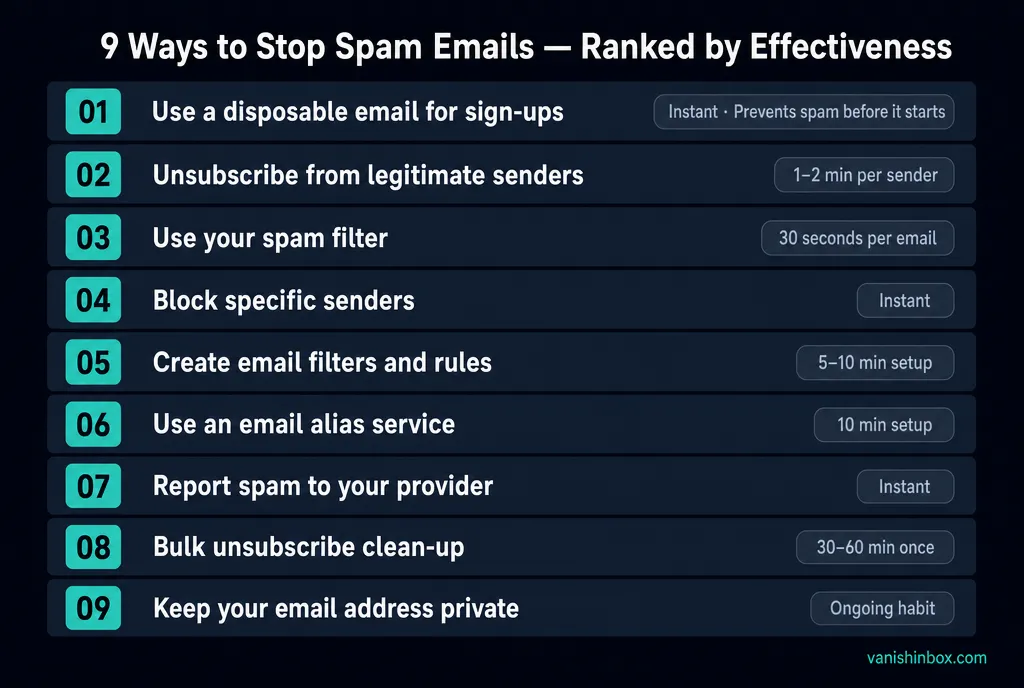
- 01📭⏱ Instant
Use a disposable email for sign-ups
The most effective way to stop spam is to never let it reach your real inbox. Use a temporary, disposable email address whenever a website asks for your email as part of a sign-up, free trial, or one-time download. The temporary address absorbs any resulting marketing email and expires automatically, taking everything with it.
💡 This works especially well for: free trial sign-ups, competitions, paywalled content, app registrations you're unsure about, and any site you plan to use once. - 02🚫⏱ 1–2 minutes per sender
Unsubscribe from legitimate senders
Every marketing email from a legitimate company must include an unsubscribe link — this is legally required under GDPR (UK/EU), CAN-SPAM (US), and CASL (Canada). Scroll to the bottom of any newsletter or promotional email and click the unsubscribe link. Reputable companies must honour this within 10 business days.
💡 Only unsubscribe from senders you recognise. Clicking unsubscribe on spam from unknown senders confirms your address is active and monitored, which typically increases the volume. - 03🏷️⏱ 30 seconds per email
Use your email client's spam filter
Gmail, Outlook, Apple Mail, and Yahoo Mail all have built-in spam filters that learn from your behaviour. Mark unwanted emails as "Spam" or "Junk" — each marking trains the filter to recognise similar patterns and automatically divert future emails from the same sender or with the same characteristics.
💡 In Gmail: tick the checkbox next to an email, click the ⊘ icon, then "Report spam". In Outlook: right-click, then "Mark as junk". The more you mark, the smarter the filter gets. - 04🔇⏱ Instant
Block specific senders
Blocking a sender tells your email client to automatically delete or divert any future emails from that address. Use this for persistent senders your spam filter keeps missing. Determined spammers can change their sending address to bypass blocks, so blocking works best against known, consistent senders.
💡 Gmail: open email, click ⋮ (three dots), select "Block [sender]". Outlook: right-click, then "Block" and "Block sender". Apple Mail: right-click the sender, select "Block Contact". - 05📋⏱ 5–10 minutes setup
Create email filters and rules
Email filters automatically sort, label, archive, or delete incoming emails based on criteria you define: sender address, subject keywords, phrases in the body, or whether the email was sent directly to you or via a mailing list. Well-configured filters handle most unwanted email without manual intervention.
💡 In Gmail: Settings, then Filters and Blocked Addresses, then Create new filter. A useful starting rule: "Has the words: unsubscribe" — skip inbox, apply label "Marketing". Or filter emails not addressed to you directly and archive them automatically. - 06🔀⏱ 10 minutes setup
Use an email alias service
Email aliasing services (SimpleLogin, AnonAddy, Apple Hide My Email) generate unique alias addresses that forward to your real inbox. Each website gets a different alias. If an alias starts receiving spam, you disable it and the spam stops immediately, without exposing or changing your real email address.
💡 This is the right solution for services you use regularly but don't fully trust. Aliases forward indefinitely until you disable them, so they suit ongoing relationships where a 10-minute disposable inbox would expire too soon. - 07📢⏱ Instant
Report spam to your provider
Reporting spam does more than train your personal filter. It sends signal to your email provider's global spam detection systems, helping protect millions of other users from the same senders. In the UK, forward spam to report@phishing.gov.uk. In the US, forward to spam@uce.gov (Federal Trade Commission).
💡 If a spam email is also a phishing attempt — impersonating a bank, delivery service, or government body — report it to Action Fraud in the UK or the Anti-Phishing Working Group (apwg.org). - 08🧹⏱ 30–60 minutes once
Clean up your existing subscriptions
Tools like Unroll.me (US) and Leave Me Alone show all your email subscriptions in one place and let you unsubscribe from dozens in a few clicks. Done once, this typically cuts newsletter and marketing volume by 30–50%.
💡 Some subscription management tools request access to your inbox to analyse it. Read their privacy policy before granting access. If you prefer not to, search your inbox for "unsubscribe" and work through the results manually. - 09🔐⏱ Ongoing habit
Keep your email address private online
Email harvesting bots scrape public web pages for email addresses. Avoid posting your real email in forum posts, social media profiles, comment sections, or anywhere a search engine can index it. If you must share it publicly, write it as "name [at] domain [dot] com" to defeat simple bots, or use a contact form.
💡 For business contexts where your email must be public, use a separate address monitored with aggressive spam filtering, keeping your primary address off public pages entirely.
Spam Settings by Email Provider
Provider-specific tips to get the most out of your built-in spam protection
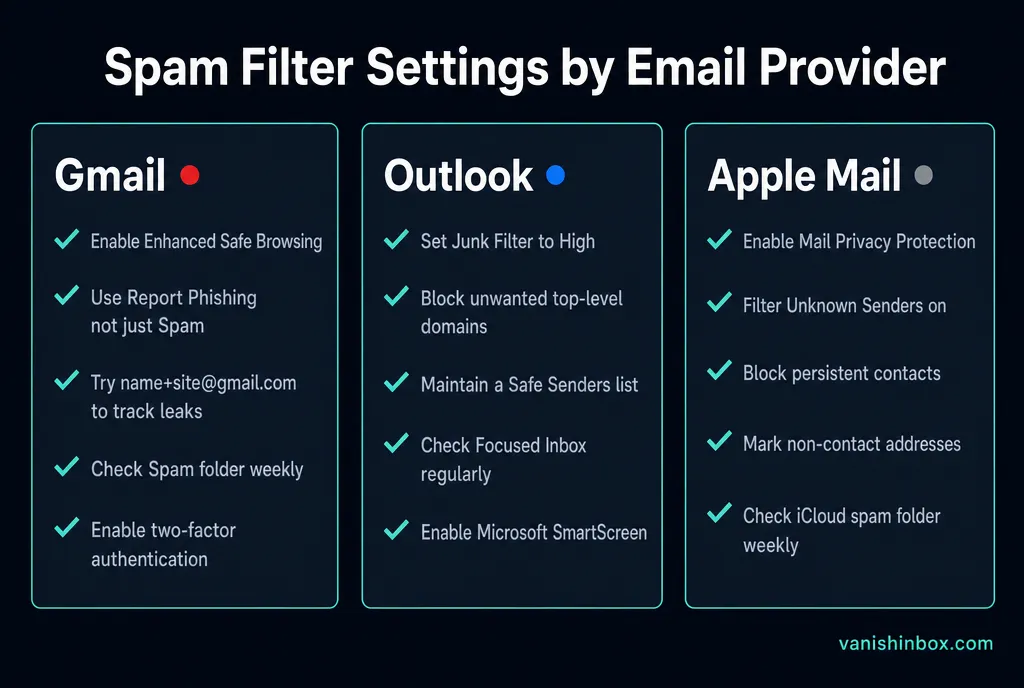
Gmail
- ✓Turn on "Enhanced Safe Browsing" in Google Account settings
- ✓Use "Report phishing" for fake emails, not just "Report spam"
- ✓Check your Spam folder weekly — Gmail occasionally misfiles legitimate email
- ✓Use + addressing (yourname+site@gmail.com) to identify which sites sold your data
- ✓Turn on two-factor authentication to prevent account compromise
Outlook / Hotmail
- ✓Set Junk Email Filter to "High" in Options, then Mail, then Junk email
- ✓Block senders from specific top-level domains via the blocked senders settings
- ✓Use the "Safe senders" list to ensure legitimate emails always arrive
- ✓Check the Focused Inbox to ensure important emails aren't being silently diverted
- ✓Turn on Microsoft Defender SmartScreen for phishing protection
Apple Mail
- ✓Turn on Mail Privacy Protection in Settings, then Privacy, then Protect Mail Activity
- ✓Turn on "Filter Unknown Senders" to hide messages from people not in your contacts
- ✓Use "Block Contact" for persistent senders to stop them at source
- ✓Turn on "Mark addresses not in my contacts" to flag unfamiliar senders visually
- ✓Check your iCloud spam folder regularly — Apple's filter is aggressive
Your 15-Minute Spam Action Plan
Do these right now and your inbox will be noticeably cleaner within 48 hours
Spam Emails — Frequently Asked Questions
- Why am I suddenly getting so much spam?
- A sudden increase in spam usually means your email address was recently exposed — either through a data breach at a company you signed up with, harvesting from a public website or forum, or purchase by a data broker. Check haveibeenpwned.com to see if your address appeared in a known breach. Going forward, use disposable email addresses for untrusted sign-ups.
- Does unsubscribing make spam worse?
- It depends on the sender. For legitimate businesses — brands you recognise, newsletters you signed up for — unsubscribing is safe and effective. For random spam from senders you don't recognise, clicking unsubscribe confirms your address is active and monitored, which typically increases the volume. For unknown senders, mark as spam instead.
- Can spam emails give my computer a virus?
- Receiving a spam email cannot harm your computer. The risk comes from clicking links or downloading attachments inside the email. Avoid clicking links in emails from unknown senders, and never download attachments you weren't expecting — even if the sender appears to be someone you know, since their account may have been compromised.
- How long does it take to stop spam after unsubscribing?
- Legitimate senders must process unsubscribe requests within 10 business days under CAN-SPAM (US) and 5 business days under GDPR (UK/EU). Most reputable companies process it within 48 hours. If emails continue after two weeks, report the sender to your email provider and the relevant authority (ICO in the UK, FTC in the US).
- What is the fastest way to stop spam emails?
- The single fastest action is to start using a disposable email address for all future sign-ups — this stops new spam from reaching your real inbox entirely. For existing spam, use your email client's "Report spam" button on each offending sender. For newsletters, use a bulk unsubscribe tool like Leave Me Alone. These three steps combined will cut spam noticeably within a week.
- Is there a way to stop spam without changing my email address?
- Yes. Use your email provider's spam reporting and blocking tools, unsubscribe from legitimate lists, set up email filters, and use a disposable address for all future sign-ups. Changing your email address gives only temporary relief — the same sign-up habits with a new address will produce the same result.