
If you've ever built a feature that sends email, a registration confirmation, a password reset, an order receipt, you know the pain of testing it properly. You need a real inbox that accepts mail, you need to check it quickly, and you don't want your personal inbox flooded with hundreds of test messages.
Disposable email is the cleanest solution to this problem. This covers how developers use it in practice.
The Core Problem With Email Testing
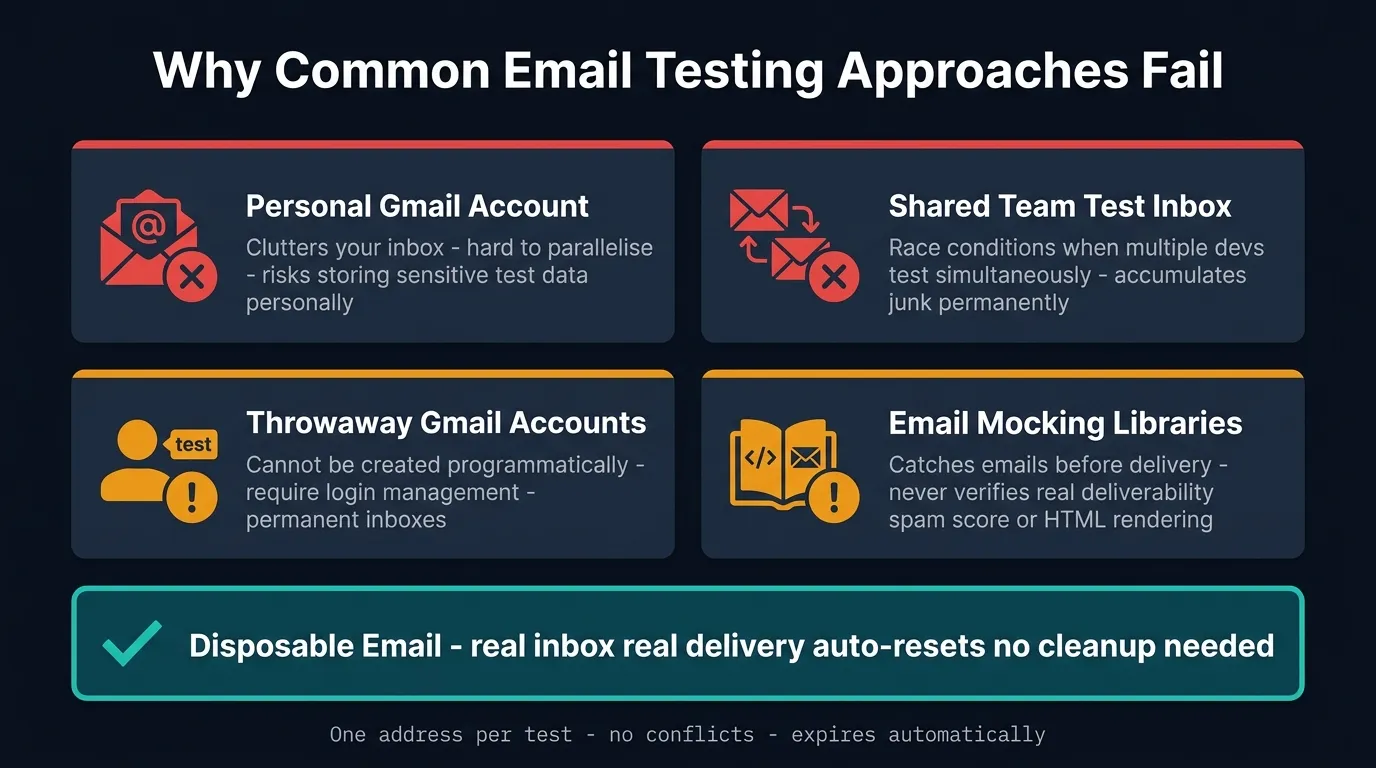
Most teams approach email testing in one of a few ways, all of which have real downsides.
A personal Gmail account clutters your inbox, makes it hard to test multiple accounts, and risks storing sensitive test data in a personal account by accident.
Test Gmail addresses like testuser1@gmail.com end up as permanent inboxes that accumulate mail, need login management, and can't be created programmatically in any quantity.
A shared team test inbox creates race conditions when multiple developers test at the same time, and still accumulates junk permanently.
Email mocking libraries catch emails before delivery, which is useful for unit tests but doesn't verify real deliverability, spam score, or HTML rendering in real clients.
A disposable email service solves the last-mile problem: confirming that your email arrives in a real inbox, looking exactly as intended.
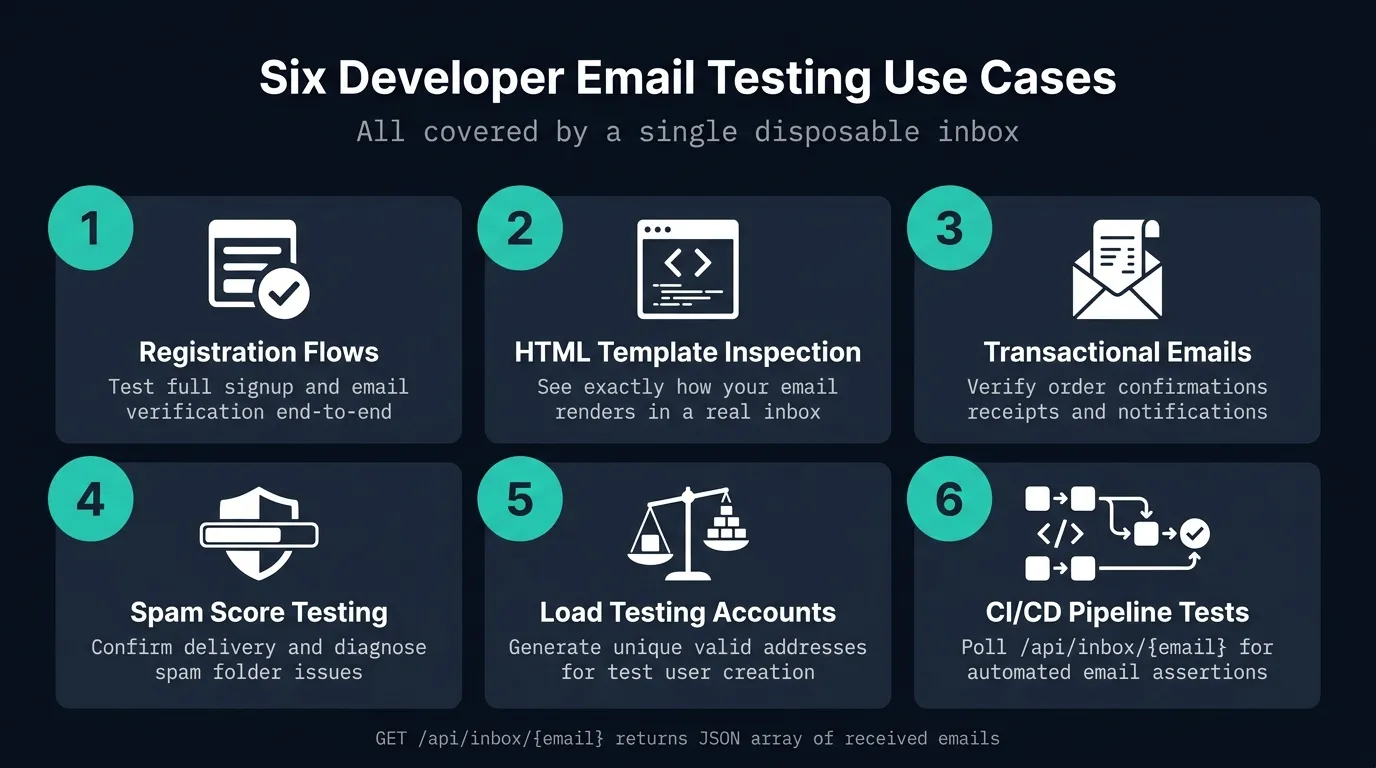
Use Case 1: Testing Registration Flows
The most common use case. Your sign-up form requires email verification before an account is activated. To test this end-to-end:
- Open VanishInbox and copy the generated address
- Use it as the email address in your registration form
- Submit the form and switch back to VanishInbox
- Your verification email arrives within seconds
- Click the link to confirm the full flow works
This is far faster than logging into a test Gmail account, and the inbox auto-resets when the address expires. No cleanup needed.
If the flow you're testing validates against an academic-style domain (some student-facing signup forms do), VanishInbox's temp edu email generator gives you three .edu.pl addresses for that case.
Use Case 2: Inspecting HTML Email Templates
Your HTML email looks great in your email editor. But does it render correctly in a real inbox? Email clients are notoriously inconsistent: Gmail strips certain CSS, Outlook ignores flexbox, Apple Mail handles fonts differently.
Send your email to a VanishInbox address and open it in the inbox viewer. The rendered HTML shows inside a sandboxed iframe that gives you a faithful preview of how the email will render. It won't show every client variation, but it catches obvious rendering breaks and missing images fast.
For production template testing, pair this with a tool like Litmus or Email on Acid. For quick sanity checks during development, disposable email is instant and free.
Use Case 3: Testing Transactional Emails
Order confirmations, shipping notifications, invoice receipts, subscription renewals: these are often built and rarely tested well, because setting up the triggering conditions is complex.
With a disposable address, you can:
- Trigger a real purchase or order in your staging environment
- Receive the transactional email in seconds
- Verify the content, formatting, personalisation tokens, and links all work correctly
The 10-minute expiry works in your favour here. Each test session starts with a clean inbox, so there's no confusion about which email belongs to which test run.
Use Case 4: Testing Spam Scores
If your transactional emails are landing in spam folders, you need to diagnose why. The first step is confirming whether the email is being delivered to an inbox or flagged as spam.
Send to a VanishInbox address and check whether it arrives. If it doesn't appear within 30 seconds, it's either being rejected at the SMTP level or deferred. This quickly tells you whether the problem is deliverability (the email never arrives) or spam filtering (it arrives in junk).
For deeper spam score analysis, combine this with mail-tester.com. Send your email to the unique address they provide, then check your score.
Use Case 5: Load Testing Email at Scale
If you're running a load test that creates thousands of test user accounts, you need thousands of unique, valid email addresses. Patterns like testuser1@yourcompany.com through testuser10000@yourcompany.com work if your mail server accepts them, but this isn't always possible or desirable.
An alternative approach: use VanishInbox's address format pattern (adjective + noun + number @ domain) as inspiration for generating test addresses in your load testing scripts. Since VanishInbox supports catch-all routing on its domains, any address on those domains will be accepted.
Use Case 6: CI/CD Pipeline Email Testing
For automated integration tests that need to verify email delivery as part of a CI/CD pipeline, you can call VanishInbox's API directly.
The API endpoint GET /api/inbox/{email} returns a JSON array of all emails received at that address. Your test can:
- Generate a unique email address
- Trigger the action that sends email
- Poll
/api/inbox/{email}until the email appears (or timeout) - Assert on the email's subject, body content, or link validity
This gives you proper end-to-end email assertions in automated tests without maintaining a permanent test inbox infrastructure.
Tips for Cleaner Email Testing
Use one address per test scenario. Click "New Email" to generate a fresh address for each distinct test case. This prevents cross-contamination between tests and makes debugging easier.
Keep VanishInbox open in a separate window. When testing registration or email flows, keep the inbox visible in a split screen so you can see emails arrive in real time without switching tabs.
Test from your staging environment's real SMTP. Skip email mocking for integration tests; use your actual email sending service (SendGrid, Postmark, AWS SES) pointed at your staging environment. This catches misconfigured API keys, rate limits, and template rendering issues that mocks never reveal.
Check both the HTML and plain text versions. Most email clients show HTML by default, but some show plain text. Make sure your transactional emails have well-formatted plain text alternatives.
Verify links in emails are correct. Email template bugs often involve wrong environment URLs, production links in staging emails, or vice versa. Always click through the links from a real email to confirm they point where you expect.
When to Use a Proper Email Testing Service Instead
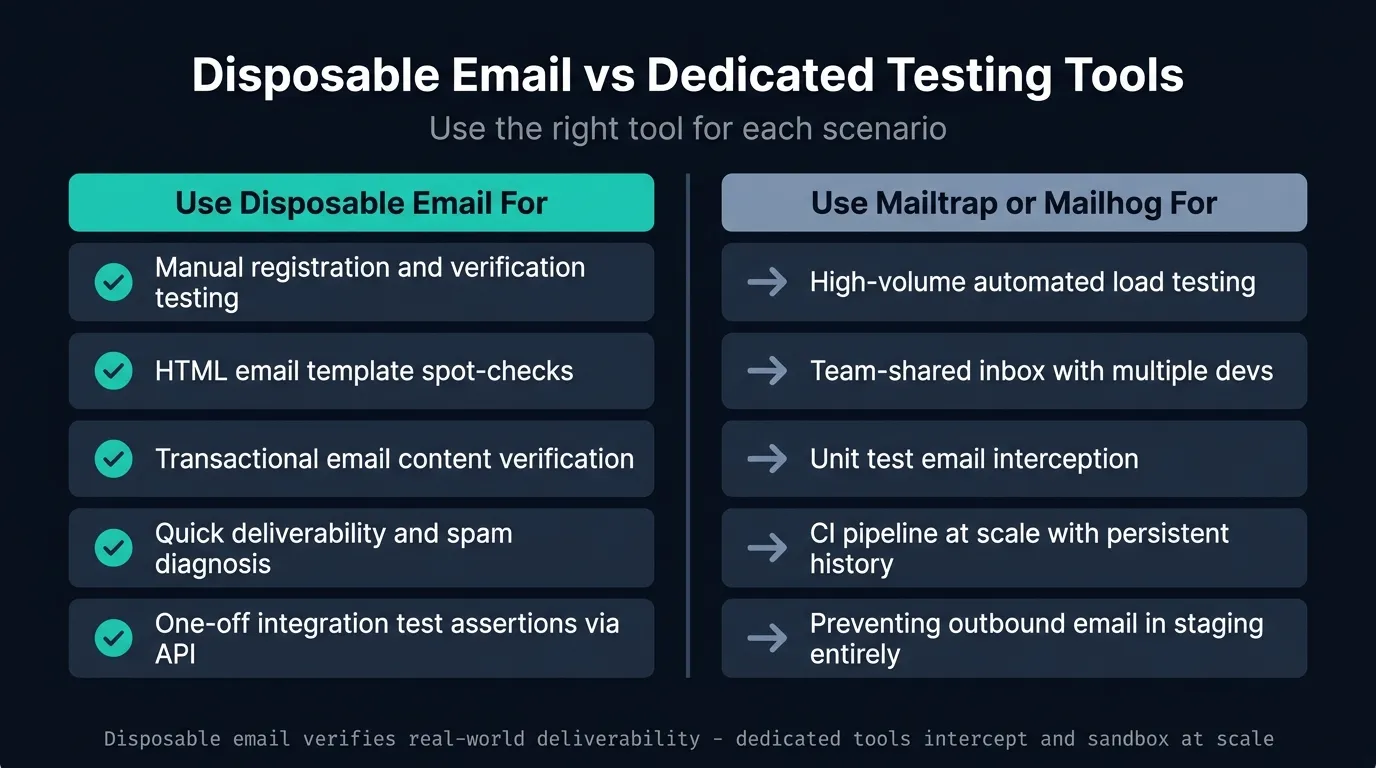
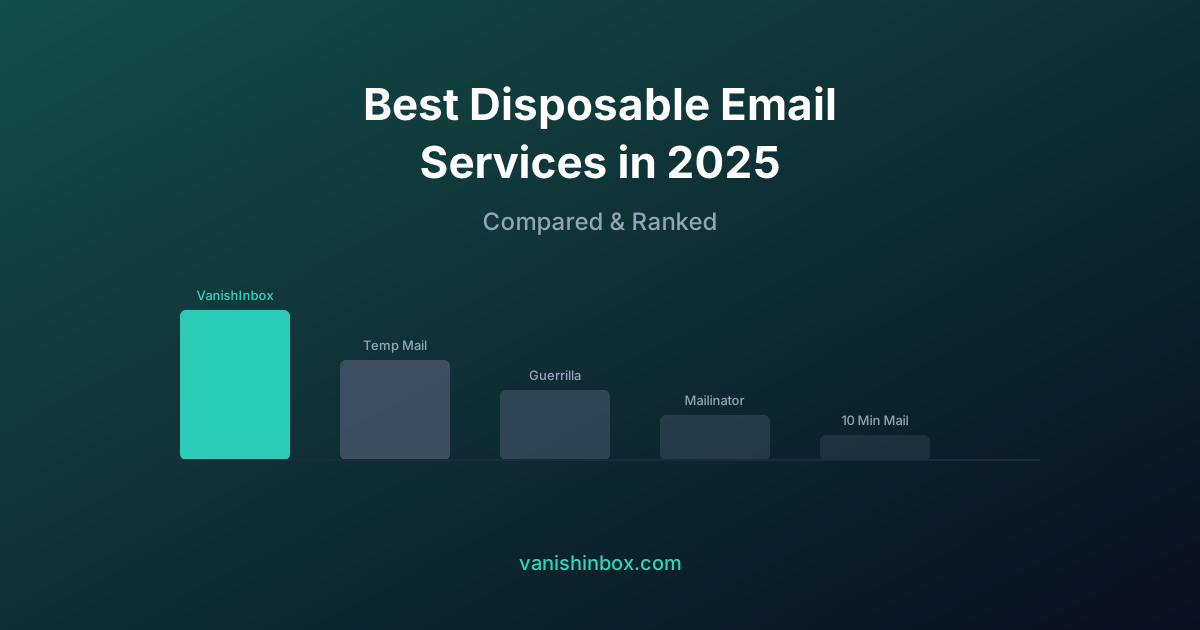
Disposable email is ideal for manual, exploratory testing and simple integration tests. For a side-by-side comparison of VanishInbox against Mailinator, Guerrilla Mail, and other services by speed, privacy, and domain selection, see best disposable email services compared. If Mailinator specifically is what you're moving away from, see Mailinator alternative. For larger teams and more complex requirements, dedicated email testing tools add further capability:
- Mailtrap catches all outbound email in a sandbox and supports team sharing and API access.
- Mailhog is a self-hosted SMTP server for development that shows all emails in a web UI.
- Ethereal is a fake SMTP service from Nodemailer with zero configuration.
- AWS SES Sandbox tests email delivery within AWS infrastructure.
These tools complement disposable email rather than replace it. Use disposable email when you need to verify real-world deliverability. Use dedicated testing services when you need to intercept and inspect large volumes of automated test emails. For a practical QA checklist covering OTP flows, password resets, and what to verify in every test email, see our dummy email address for testing guide.
Summary
| Scenario | Best Tool |
|---|---|
| Testing registration confirmation manually | Disposable email ✅ |
| Inspecting HTML template rendering | Disposable email ✅ |
| Verifying transactional email content | Disposable email ✅ |
| Quick spam/deliverability check | Disposable email ✅ |
| High-volume automated load testing | Mailtrap / Mailhog |
| Team-shared test inbox | Mailtrap / Mailhog |
| Unit testing email logic | Mocking library |
Disposable email addresses are one of the fastest, cheapest, and most underused tools in a developer's testing workflow. Next time you need to test an email flow, open VanishInbox: your inbox is ready before your registration form is.