The most common support question I get about VanishInbox is some version of: "the verification email never arrived." Nine times out of ten, it did arrive — it just took 45 seconds, and the user had already given up or generated a new address. The second most common is: "the site says my email is invalid." That one's a domain blocklist problem, and switching to a different domain from the dropdown fixes it immediately.
Both situations are fixable. Understanding why they happen makes using a temp address for verification much less frustrating.
Every time you sign up for a new app, download a freebie, or access paywalled content, the same thing happens: you hand over your email address, receive a verification code or confirmation link, and suddenly you're on another marketing list you never asked to join.
A temporary email address solves this cleanly. You get the code. The inbox self-destructs. Your real address never gets involved.
This guide covers exactly how to use a temporary email for verification, which situations it's perfect for, when you shouldn't use one, and what to do if a site tries to block disposable addresses.
Why Websites Require Email Verification in the First Place
Email verification exists for two reasons: to confirm you're a real person, and to give the platform a way to reach you indefinitely.
The first reason is legitimate. The second is where it gets complicated. When you verify with your real email address, you're not just proving you exist — you're creating a permanent link between your identity and that account. That email then becomes a channel for marketing, re-engagement campaigns, and in the worst case, a data breach waiting to happen.
A temporary email address satisfies the first requirement — it proves a real inbox exists and can receive messages — without surrendering the second.
What Exactly Happens During Email Verification?
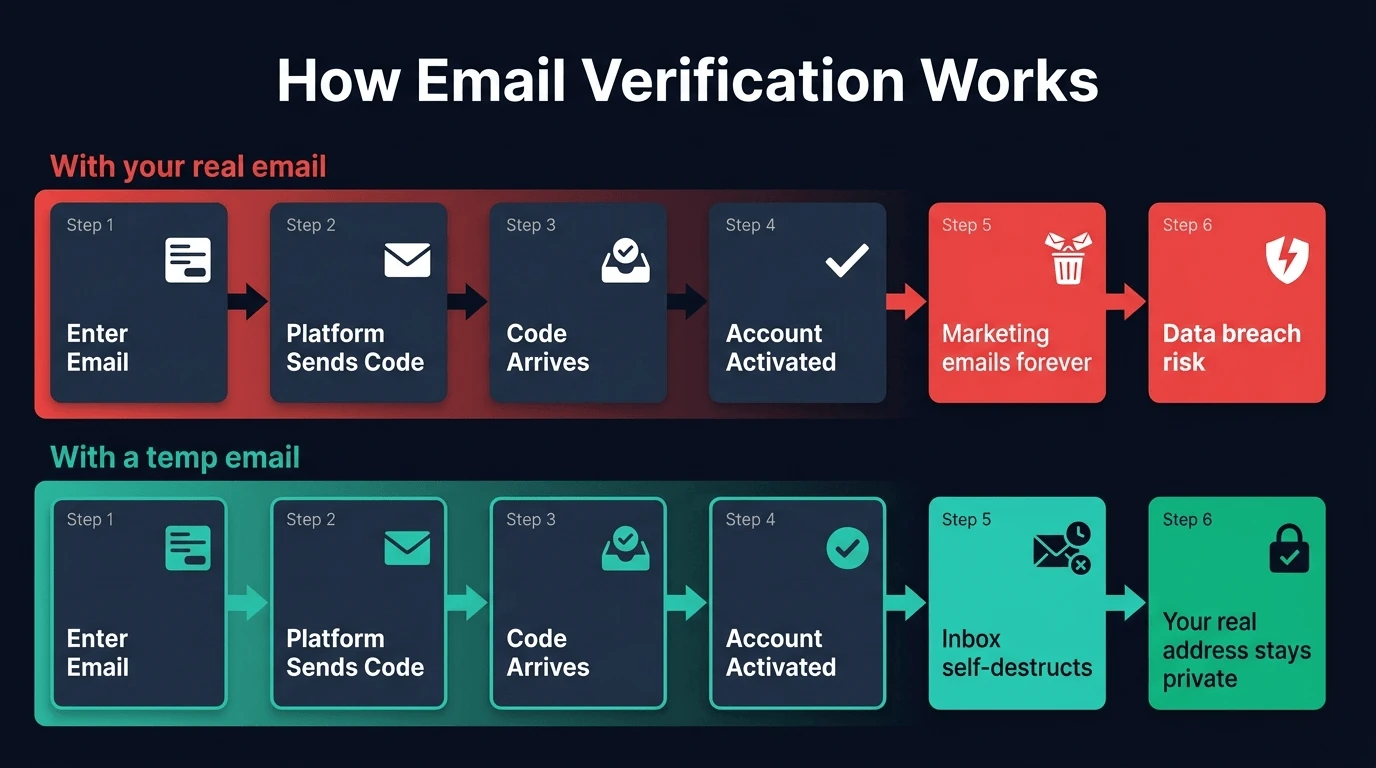
The process is the same regardless of which platform asks for it:
- You enter an email address during sign-up
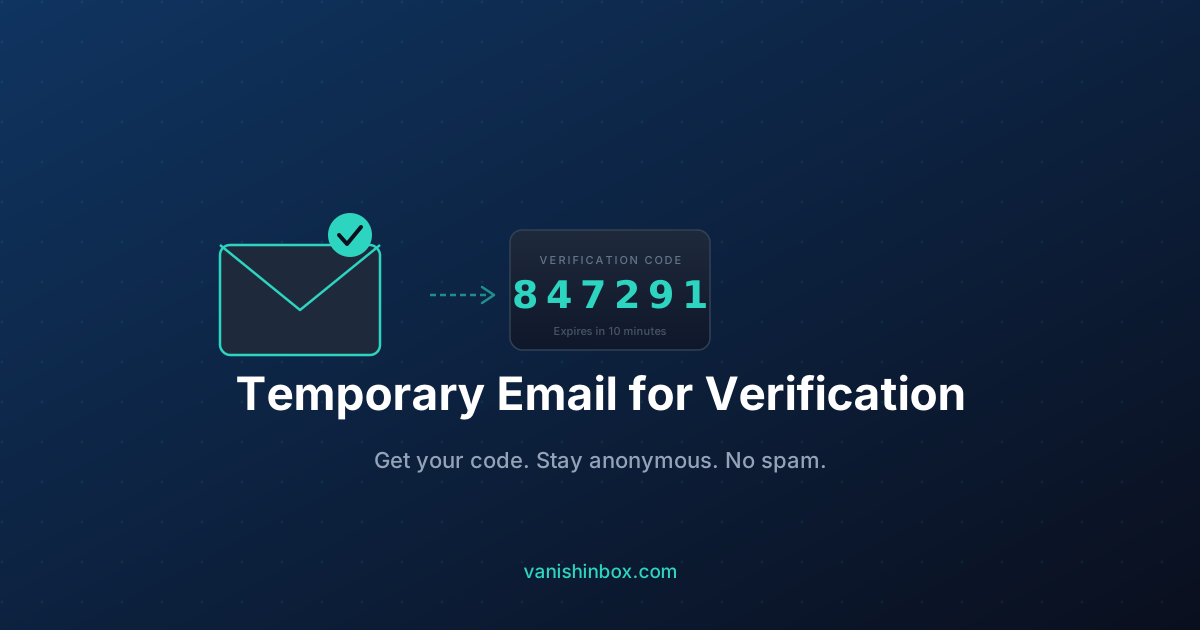
- The platform sends a confirmation email containing either a link or a numeric code (OTP)
- You click the link or enter the code to prove you control the inbox
- Your account is activated
A temporary email handles steps 1–4 perfectly. As long as the email arrives within your temp inbox's active window, the verification completes exactly like a normal sign-up.
Step-by-Step: Using VanishInbox for Verification
Step 1: Open VanishInbox
Head to vanishinbox.com in a new tab. A unique disposable email address is generated the moment the page loads — no sign-up, no configuration.
Step 2: Copy your address
Click Copy next to your generated address. Keep this tab open — you'll need it in a moment.
Step 3: Paste it into the sign-up form
Go to whichever site is requesting your email. Paste your VanishInbox address into the email field and complete the registration as normal.
Step 4: Wait for the verification email
Switch back to your VanishInbox tab. Your inbox refreshes automatically every few seconds. Most verification emails arrive within 10–30 seconds of hitting send.
Step 5: Copy the code or click the link
Click the email to open it. If it contains a numeric OTP, use the Copy Text button to grab it instantly. If it contains a verification link, click it directly from the inbox viewer.
Step 6: Done
Your account is verified. The VanishInbox address will auto-expire after 10 minutes, taking all emails with it.
Which Verification Scenarios Work Best
Temporary email is particularly well-suited for these situations:
Free trial activations — Want to try a SaaS tool or streaming service without committing your real address? A temp email gets you through the verification gate. Once the trial is over, the address is already gone.
Gated content downloads — Whitepapers, ebooks, and templates behind email capture forms are a perfect use case. You get the download link delivered to your temp inbox, click it, and move on.
Forum and community sign-ups — Reddit clones, Discord servers, niche forums — if you're registering for something you might use once, there's no reason to expose your primary address.
One-time online purchases — Guest checkout forms that require email confirmation. Use a temp address and skip the promotional follow-up emails entirely.
Exploring new apps and tools — Testing a new productivity app, AI tool, or browser extension without wanting their onboarding drip sequence. If you're on desktop Chrome, the VanishInbox browser extension makes this even faster — right-click any email field to autofill without switching tabs.
Wi-Fi portals — Airports, hotels, and coffee shops that demand an email before granting access. Give them a temp address.
For a broader look at the situations where a disposable address is the right tool, see when to use a disposable email — 15 real scenarios.
What to Do When a Site Blocks Disposable Emails
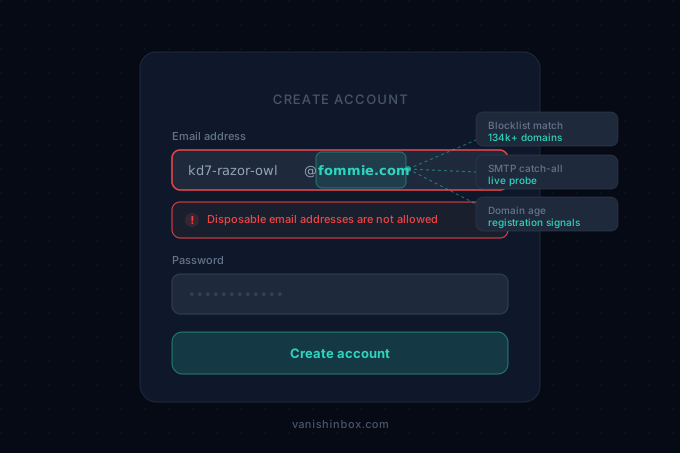
Some platforms maintain blocklists of known temp mail domains. If you enter your address and see a message like "Please use a valid email address" or "Disposable email addresses are not accepted," the domain has been flagged.
This is where having multiple domains matters. VanishInbox offers five domains — fommie.com, whoopza.org, fommie.online, fommie.store, and whoopza.store. Use the domain dropdown selector to switch to a different one and try again. Newer and less-common domains are far less likely to appear on any blocklist.
In most cases, switching domains immediately resolves the issue.
When You Should Not Use a Temporary Email for Verification
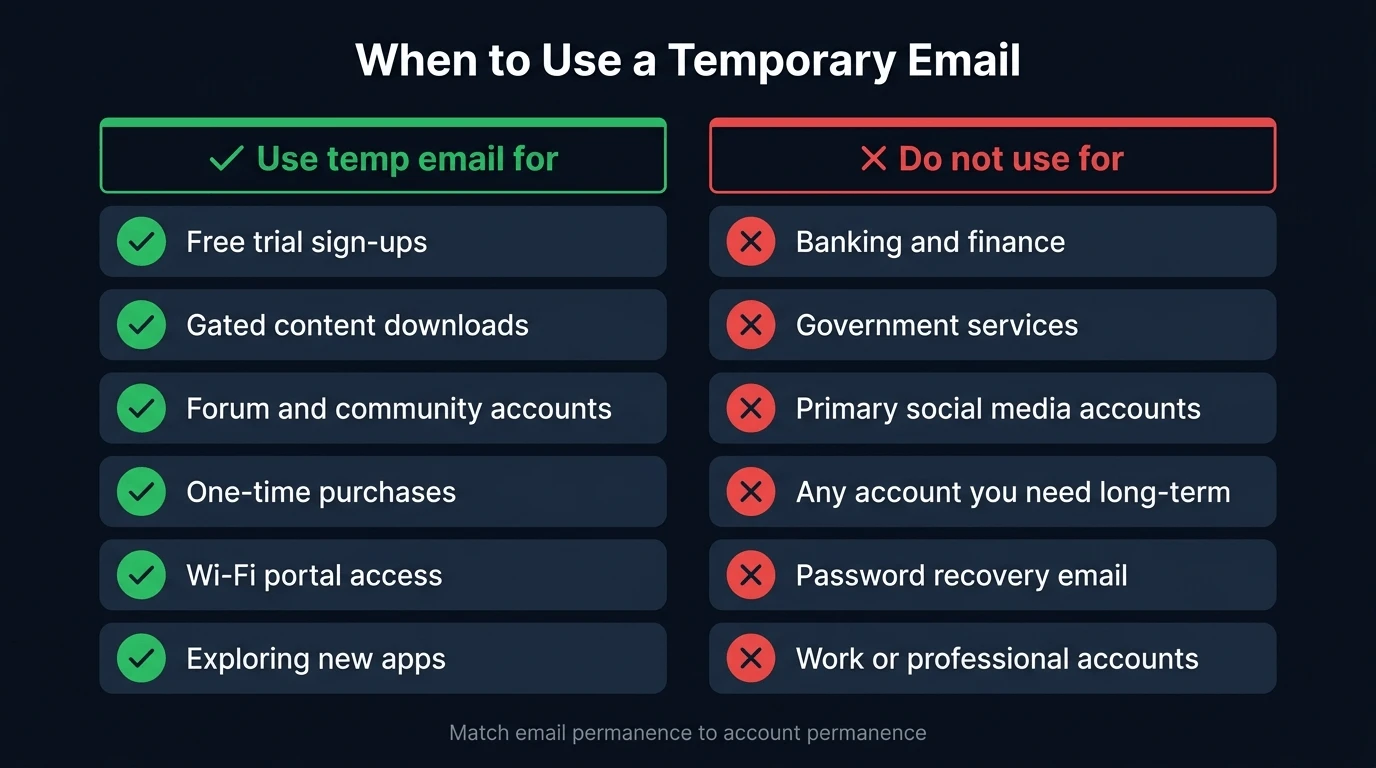
Being straightforward here: temp email is the wrong tool for some situations.
Any account you need long-term. If you lose access to the temp inbox (which you will — it expires), you lose your only password recovery option. If the platform ever needs to send you a re-verification email or security alert, it won't reach you. Match email permanence to account permanence: if the account matters, use your real email.
Banking and financial services. Non-negotiable. Use your real address for anything involving money.
Government or official services. Same reasoning — you may need those email records months later.
Your primary social media accounts. If you're locked out of Facebook or Instagram and need to verify via email, a long-expired temp address won't help you. For secondary or test accounts, temp email is fine. For your main account, use something you control permanently.
The Security Considerations
A few things worth knowing before you start:
Temp inboxes are receive-only. VanishInbox, like most disposable email services, cannot send email. This means it works for any verification that sends to you, but you cannot use it to reply or initiate contact.
The inbox is not private in the traditional sense. There's no password protecting your VanishInbox inbox. Anyone who knows the exact address can read it — but because the addresses are randomly generated and the inbox expires in 10 minutes, in practice this is a non-issue for one-time verification codes.
HTML emails are sandboxed. VanishInbox renders HTML emails inside a sandboxed iframe, which means tracking pixels and malicious scripts inside verification emails cannot execute or access your browser. This is meaningfully more secure than opening those same emails in Gmail.
If you want to compare VanishInbox against other disposable email services, see our full comparison of the best disposable email services in 2026.
The Bottom Line
Using a temporary email address for verification is one of the simplest, most effective ways to protect your real inbox. The process takes about 30 seconds and the result is a verified account that has no permanent connection to your identity.
For any sign-up where you're not fully committed to the service — and especially for anything where the platform is primarily interested in your email as a marketing asset — a disposable address is the smarter choice.